


Jujotech Fusion Remote 3.0: Comprehensive and user-friendly industrial remote assistance that is integrated with Microsoft Teams and provides AI-powered captioning and translation

industrial-worker-with-hard-hat-on-examining-a-car-engine

Fusion Remote 3.0: Comprehensive industrial
remote assistance that is integrated with
Microsoft Teams

Fusion Remote 3.0 is the leading industrial remote assistance application, compatible with select smart headsets, smartphones and tablets and all notebooks and desktops.
It is uniquely integrated with Microsoft Teams, providing customers with the convenience, reliability, gold-standard security and stability of Microsoft Teams while eliminating the need to invest in or depend on a parallel third-party video collaboration infrastructure.
Fusion Remote 3.0 is also designed to provide first-touch usability for remote experts, connected workers and administrators and it offers the most intuitive interface in its class.

Clear communication and advanced
collaboration with AI-powered captioning and
translation

Designed to optimize communication and enable advanced collaboration in diverse linguistic settings by offering real-time captions in multiple languages.
During an industrial remote assistance meeting, the AI-powered captioning and translation feature reliably translates spoken language. Translated captions are displayed on participants’ screens in their chosen language, removing the impact of language barriers.
Multicultural teams can collaborate effectively, ensuring that critical instructions are understood the first time, every time.
male worker, looking closely to a military truck

Why Fusion Remote 3.0?

▶ Provides rapid return on investment
▶ Reduces or eliminates travel expenses
▶ Increases customer satisfaction, productivity and operational
efficiencies
▶ Decreases downtime and resolution times
▶ Improves problem-solving effectiveness

What makes Fusion Remote 3.0 different?

▶ Delivers comprehensive and user-friendly industrial remote
assistance to remote experts, connected workers and administrators
▷ Leverages Microsoft Teams environments
▷ Removes distance and language barriers
▶ Integrated with Microsoft Teams, providing the convenience,
reliability, gold-standard security and stability of Microsoft
Teams while eliminating the need to invest in or depend on a
parallel third-party video collaboration infrastructure
▶ Designed to provide first-touch usability for remote experts,
connected workers and administrators
▶ Offers the most intuitive and user-friendly interface in its class
▶ Enhances security with end-to-end data encryption at rest and
in-flight
▶ Enables quick tenancy integration with straightforward and
streamlined permissions enablement
▶ Simplifies setup and operation of select smart headsets, smartphones,
tablets

AI-powered captioning and translation in multiple
languages

▶ Optimized communication: Conduct industrial remote assistance
meetings free from language limitations. Save valuable
time and minimize potential misunderstandings through
accurate, real-time translations.
▶ Advanced collaboration: Foster an inclusive environment
where all team members can actively participate and contribute
efficiently and effectively.
▶ Expanded global connectivity: Easily connect and collaborate
with multi¬cultural teams and clients worldwide.

DOCUMENTATION

Downloads Documents

Click on the images below to download a PDF file

Realwear

FR Teams UG v1.0 cover 1

Fusion Remote Teams User Guide v1.0 (2.8 MB)

fr rw UG 2.1 cover

Fusion Remote User Guide v2.1 (3.3 MB)

fr rw HMT IGv1.1 cover

Fusion Remote HMT Installation Guide v1.1 (197 KB)

fr rw IT HG v1.1 cover

Fusion Remote IT Help Guide v1.1 (236 KB)

far rw UG v1.0 cover

Fusion AR Realwear User Guide v1.0 (4 MB)


fin rw UG v1.0 cover

Fusion Inspect User Guide v1.0 (2.2 MB)

fr zoom UG v1.0 cover

Fusion Remote Zoom User Guide v1.0 (2.5 MB)

Vuzix

fr vx UG v1.1 cover

Fusion Remote Vuzix User Guide v1.1 (1.7 MB)

fr Vx IG v1.0 cover

Fusion Remote Vuzix Installation Guide v1.0 (263 KB)
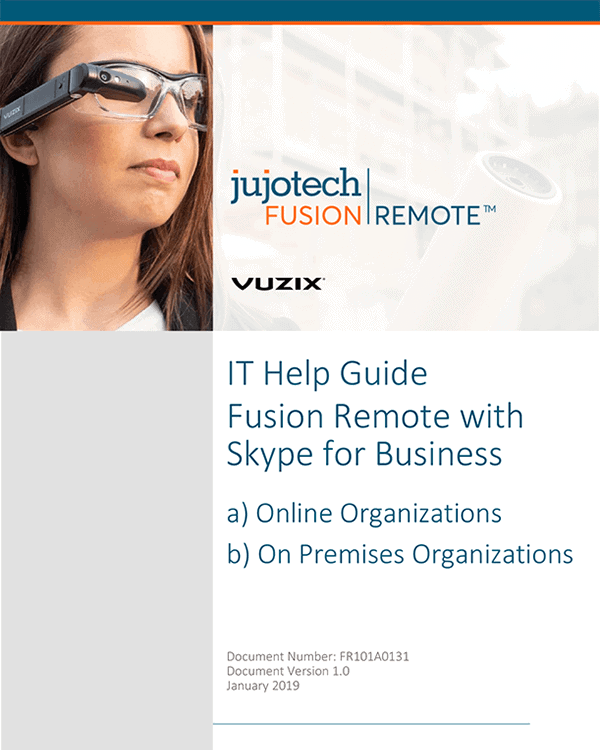

fr Vx IT HG v1.0 cover

Fusion Remote Vuzix IT Help Guide v1.0 (359 KB)


far Vx UG v1.0 cover

FusionAR Vuzix User Guide v1.0 (2.1 MB)

Service request


Click Here

Set up a Service Request Ticket by filling in this form

NEED SOME HELP?

Send us a quick message