


PRODUCTS

INTEGRATED with
Microsoft Teams provides video conferencing communication.
Powered by augmented reality (AR) and artificial intelligence (AI), Jujotech Fusion Remote 3.0 software enables advanced video conferencing collaboration.
Connected workers and remote experts leverage cutting-edge industrial remote assistance capabilities to increase productivity and operational efficiencies, reduce downtime and enhance problem-solving capabilities effectiveness. Travel expenses are often significantly reduced, resulting in rapid return on investment.
Jujotech Fusion Remote 3.0 is available for use with desktops and select smartphones, tablets and smart headsets.
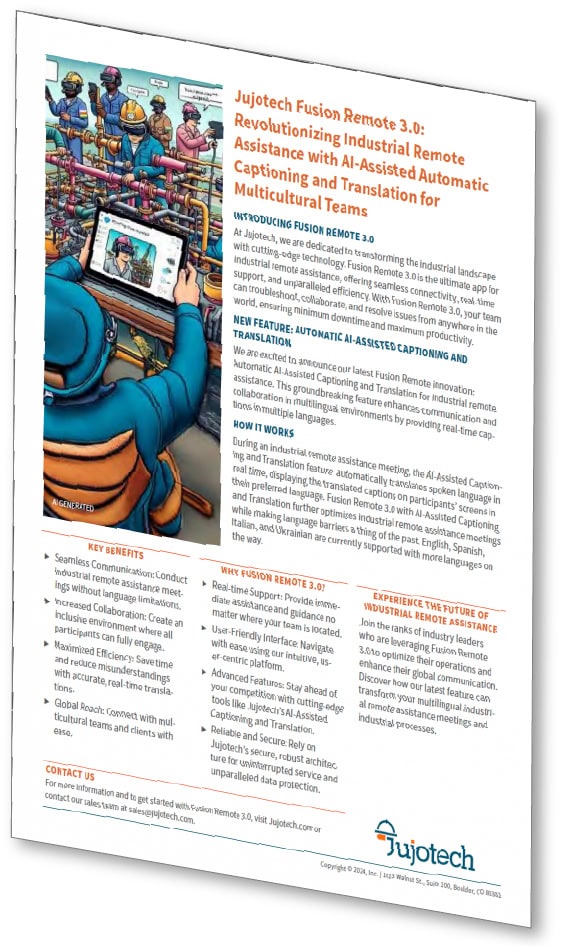
DOWNLOAD PDF for information on Fusion Remote 3.0 and AI-Assisted Automatic Captioning and Translation for Multicultural Teams
DOWNLOAD PDF

Hand(s)-Free Audio/Video

AI-Assisted captioning and translation
Image, Video Clip & File Sharing

Live Annotation
Fusion Remote 3.0 for Microsoft Teams is augmented reality (AR) and artificial intelligence (AI) powered industrial remote assistance software which provides dynamic multi-party audio and video collaboration. Key product capabilities include image, video clip and file sharing with real-team screen share and live video annotation. Connected workers operate in a hand or hands-free manner with select smartphones, tablets and desktops. Remote experts optimize their support with the use of a command center dashboard from their desktop or at the edge with a smartphone or tablet.
Primary use cases include troubleshooting, real-time incident management (investigating, reporting and/or repairing) and interactive remote training. And with
the additional benefit of AI-assisted automatic captioning and translation, industrial
workers are better able to increase productivity and operational efficiencies, reduce downtime
and enhance problem-solving effectiveness. Travel expenses are often significantly reduced,
resulting in rapid return on investment.
PRODUCT CAPABILITIES

- Safe, secure and easy to use with quick meeting starts
- Hand or hands-free operation with select smartphones, tablets and smart headsets
- Allows access to the Microsoft Teams corporate address book and to participants outside of the company network
- Multiple participant, anywhere in the world support from remote experts using Microsoft Teams
- Image, video clip and file sharing
- QR code generator for quick authentication
- Single sign-on (SSO) with Microsoft account
- Message and value dictation (speech-to-text)
- Email meeting invites from the remote expert or the connected worker
- Add participants to meetings in process
- Join meetings with deep links
- Access as a guest or authenticated user
- Meeting roster with participant status
- Image capture, video clip and meeting recordings, brightness, volume and geolocation
- Share and store images, video clip and meeting recordings at different quality levels
- Convert meeting contents into PDF and XML reports which are time stamped and emailed to all participants
- Dedicated AWS instance in region of choice for remote experts and administrators.
- Archive and manage your remote assistance sessions for auditing, sharing, training and more (text, files, images, video clips and meeting recordings).
- AI-Assisted Automatic Captioning and Translation streamlines communication and collaboration for multicultural teams. Time is saved and misunderstandings are reduced with accurate, real-time captioning and translation.
- Command center dashboard for remote experts
- Simplified remote expert operation from the desktop or at the edge with a smartphone or tablet
- Optimize capturing and sharing of images, video clips, screenshots and meeting recordings
- Real time screen share and live annotation
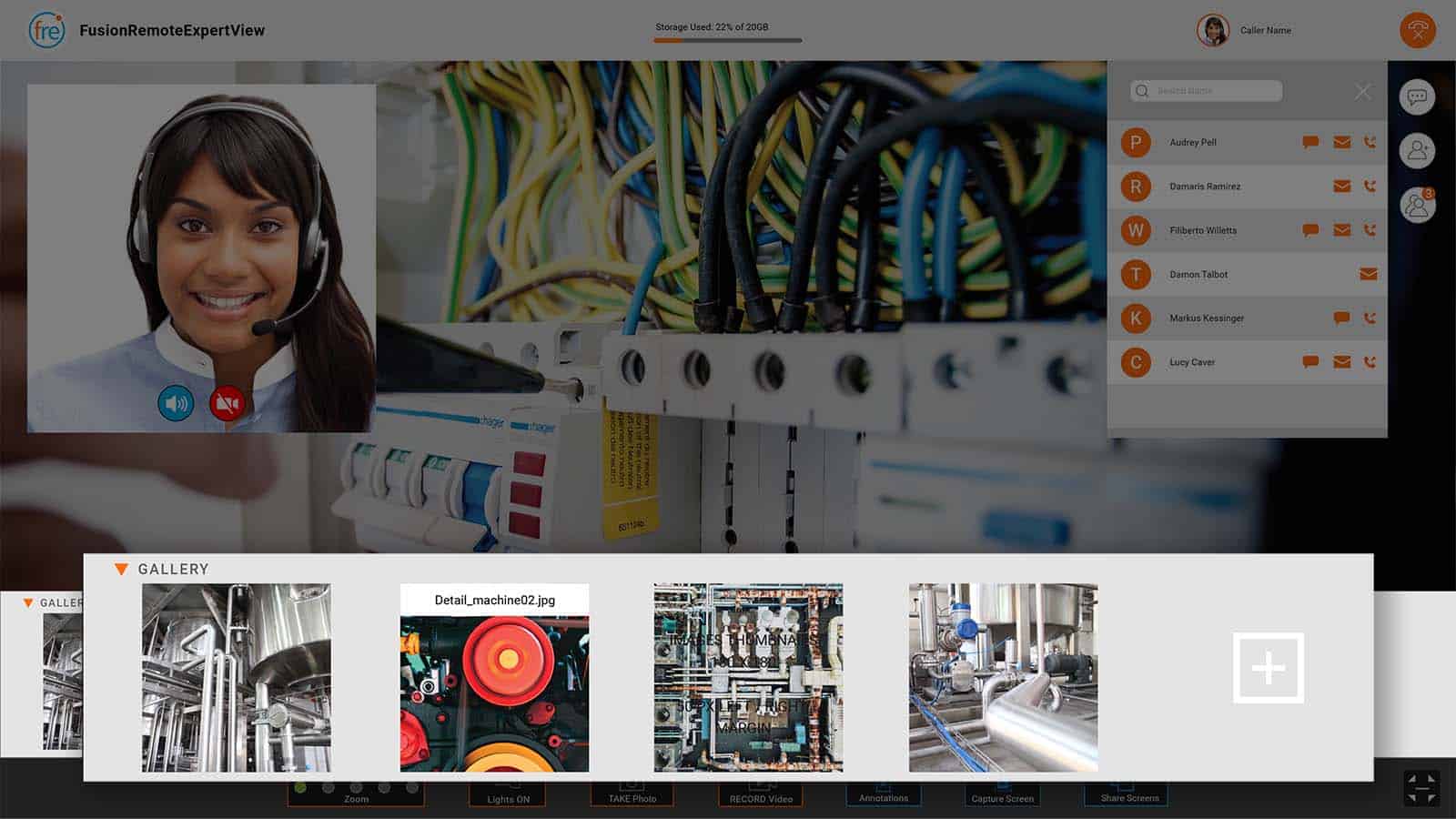
- Media gallery: quick access to all the relevant meeting contents
- Address book tool: quick access to connected workers and remote experts (from both inside and outside of the company network)
- Mitigation for low bandwidth connectivity
- Turnkey, preconfigurable for field deployment
- SaaS license subscription by device
- Enhanced security with end-to-end data encryption at rest and in-flight
- Can be integrated with inspection workflows & IIoT data visualization applications
Fusion Remote Licensing Options
FUSION REMOTE STANDARD


Fusion Remote Standard is an APK installed on select smartphones, tablets and smart headsets. Your connected workforce is provided a Microsoft Teams integrated, best-in-class industrial remote assistance experience. The connected worker safely executes commands in a hand or hands-free manner. Images, video clips, and files are easily shared with remote experts. With access to the Microsoft Teams corporate address book, multiple-participants can be added during meetings.
FUSION REMOTE PLUS

Upgrade to Fusion Remote Plus to add the interactive Media Server, a dedicated AWS instance in your region of choice. Remote experts and administrators archive and manage remote assistance sessions for auditing, sharing, training and more! With enhanced end-to-end content encryption at rest and in-flight, your text, files, images, video clips and meeting recordings are securely stored and accessible.
FUSION REMOTE PREMIUM


Upgrade to Fusion Remote Premium to add AI-Assisted Automatic Captioning and Translation and the Expert View web client. AI-Assisted Automatic Captioning and Translation streamlines communication and collaboration for multicultural teams. Industrial remote assistance meetings are conducted without language barriers where all participants can fully engage. Time is saved and misunderstandings are reduced with accurate, real-time captioning and translation. The Expert View web client includes a command center dashboard to (1) simplify the remote operation of mobile devices, (2) optimizes the capturing and sharing of images, video clips, screenshots and meeting recordings and (3) facilitates real-time screen share and live annotation. The media gallery provides quick access to all relevant meeting content while the dedicated address book tool provides quick access to connected workers and remote experts (from both inside and outside of the company network). And with Expert View, the remote expert can also participate with a smartphone or tablet at the edge.
Expert View Interface
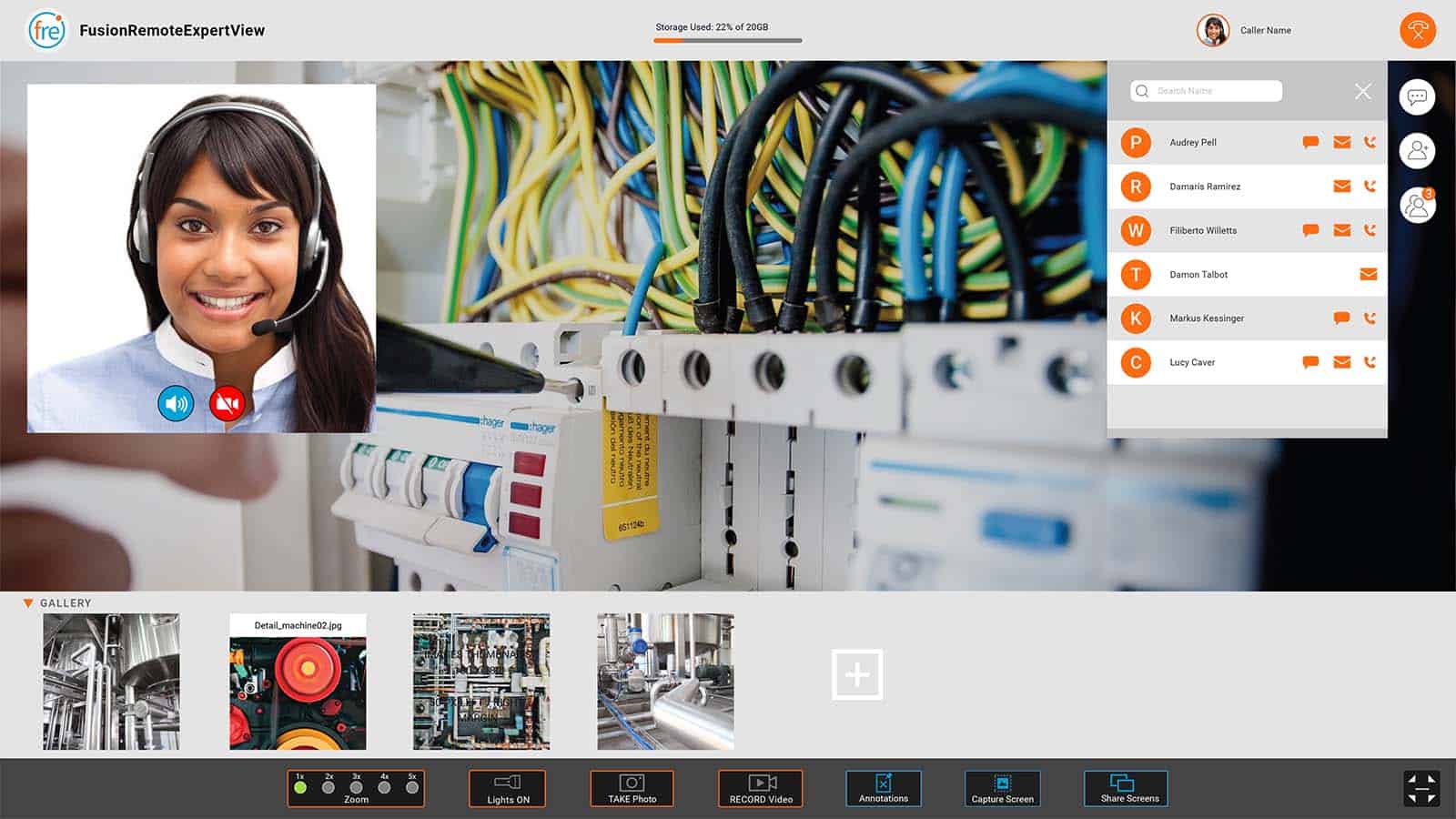
Media Gallery
Provides quick access to all relevant meeting contents
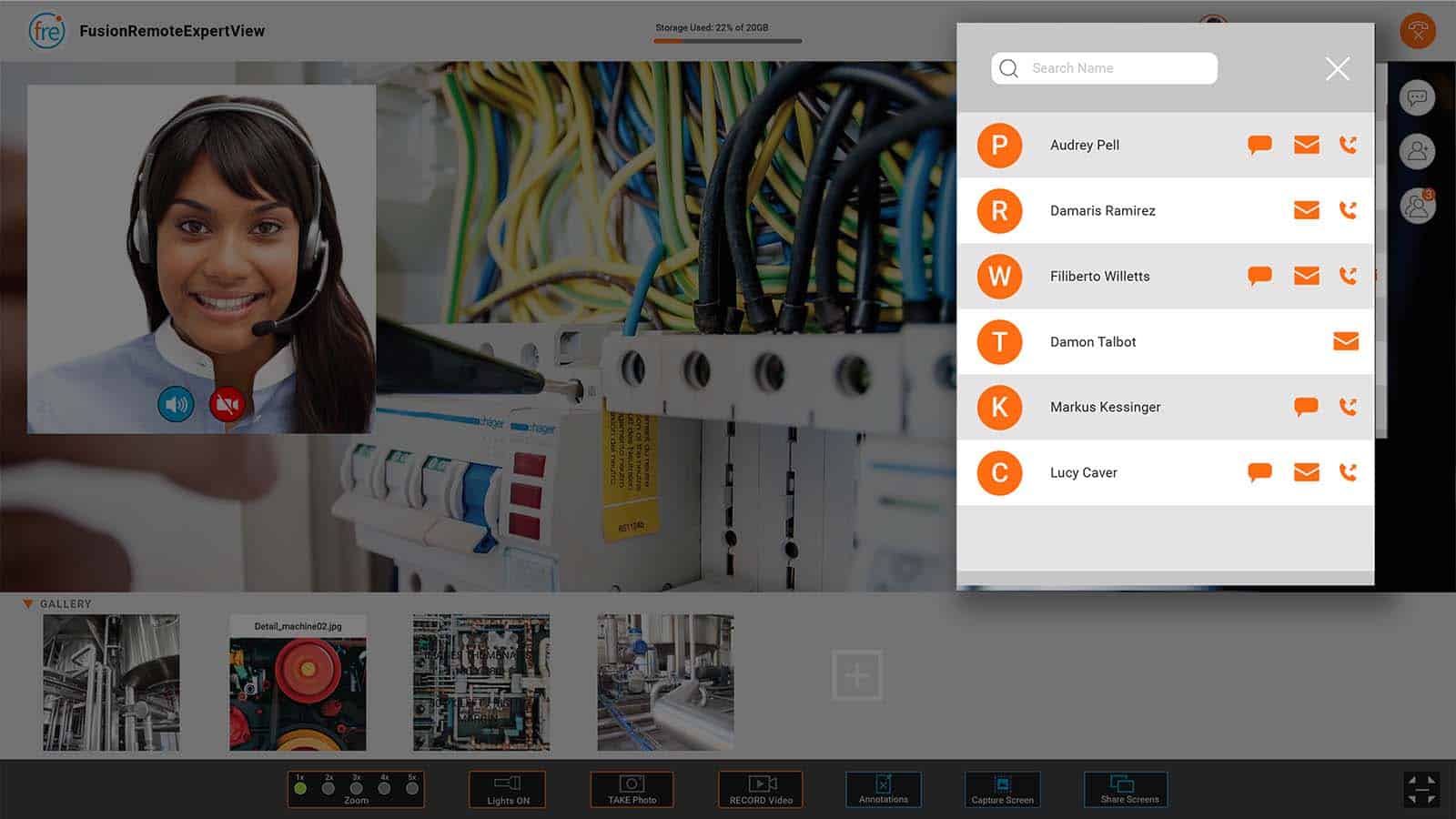
Address Book Tool
Provides quick access to connected workers and remote experts (from both inside and outside of the company network).
Applications
Over-the-shoulder troubleshouting
Interactive remote training
Property Management
Building Inspections
Automotive
Manufacturing
Construction

Real-time incident management (investigating, reporting and/or repairing)
Field Services
Maintenance and Repair
Virtual Audits
Warehouse Logistics
Supported devices
Select Smartphones and Tablets
RealWear Smart Headsets
Select Vuzix Series Smart Headsets
Languages
English, Chinese, Spanish, Japanese, French, Italian, Portuguese